
- Who can: any member of your company
- Where: Tasks
- Time: ≈ 2 minutes
Before you start
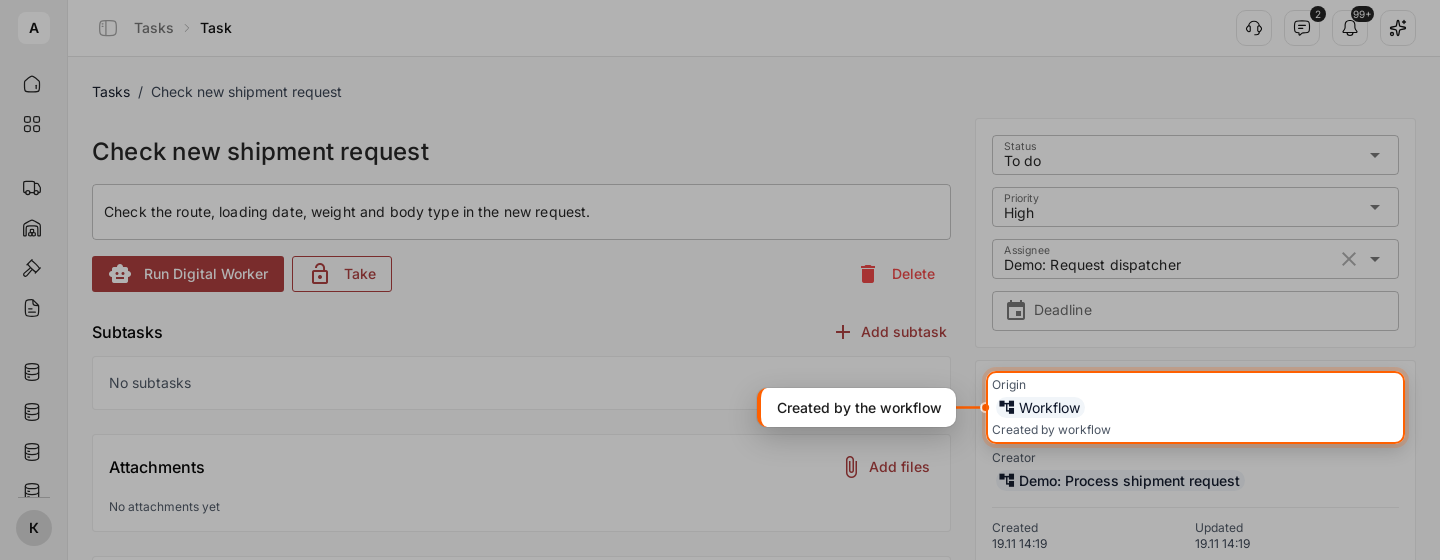
A workflow is a chain of steps Cargofy runs for you, and one of those steps can create a task. In the example, the workflow “Demo: Process shipment request” creates the task “Check new shipment request” for every new request and gives it to the Digital Worker “Demo: Request dispatcher”.
Steps
Find the tasks of your workflows
In Tasks, click Filter and pick “Workflow” in “Origin”. A workflow creates its task in “To do”, so a Digital Worker it is assigned to starts on it. See Give a task to a Digital Worker.
Open a task
Click the task. In the panel on the right, “Origin” shows “Workflow” and “Created by workflow”, and “Creator” names the workflow.
Do the work
Work on the task like any other: comment, attach files, change the assignee. The workflow waits.
Let the workflow continue
Set the status to “Done” when the work is finished, or “Cancelled” when it is not needed. The workflow goes on at once with the steps set for that status. To see what each status leads to, open the workflow in Studio › Workflows: the “Task” step has two exits, “done” and “cancelled”.